

Short Read on Computer Upgrades
For everyday tasks like web browsing, document editing, and video streaming, a 2026 computer feels only slightly faster than a similar 2021 model with the same RAM, though the battery life, heat management, and AI capabilities are dramatically better.
Because RAM capacity often acts as the primary bottleneck for heavy multitasking, keeping the same amount of memory (such as 16GB) means both machines will hit a wall at roughly the same number of open browser tabs or running applications. However, the architecture surrounding that memory has changed significantly over five years.
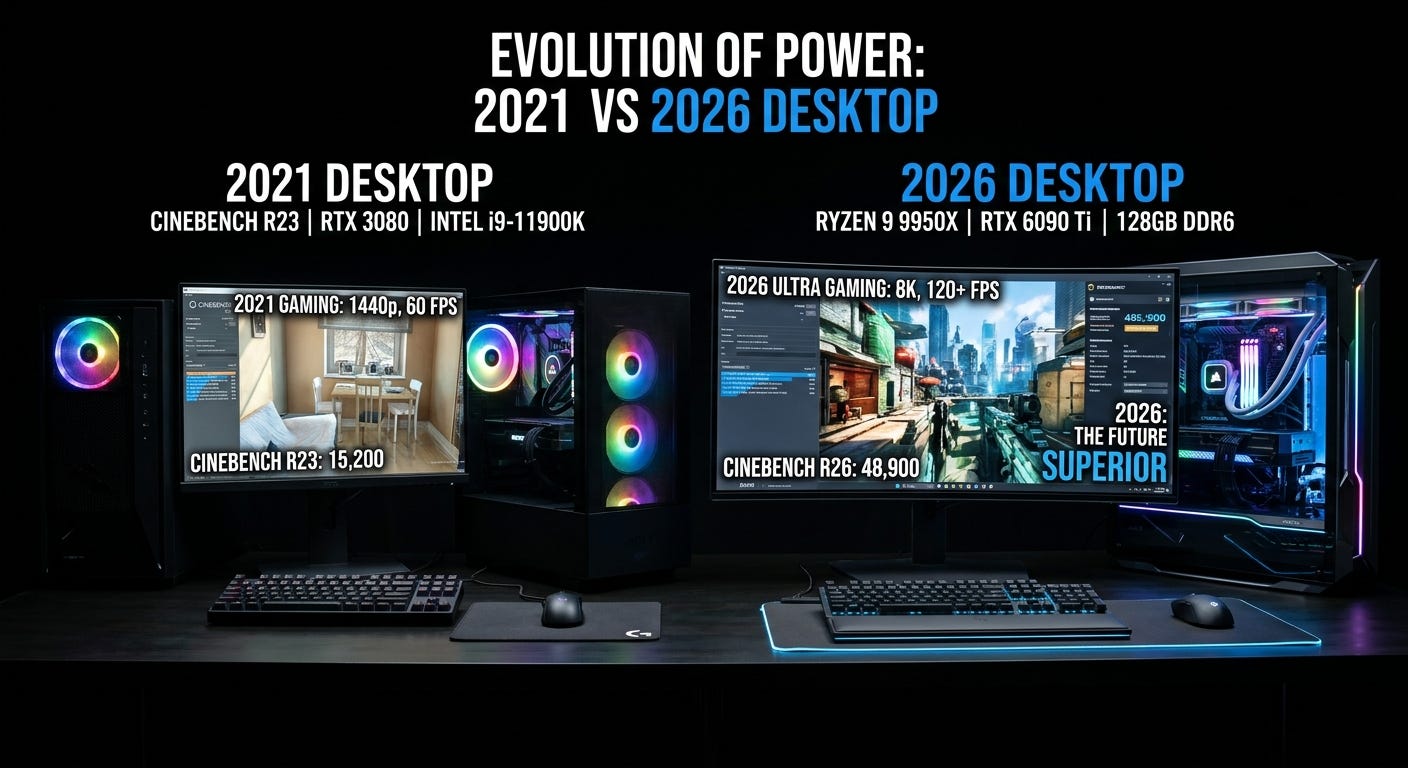
Where You Won’t Notice Much Difference
Basic Daily Tasks. Opening emails, editing spreadsheets, and streaming video already ran smoothly on 2021 processors and fast NVMe SSDs. The jump in instantaneous responsiveness for light tasks is marginal.
Multitasking Limits. Having the exact same RAM capacity limits how many heavy programs can stay active in the background before the system slows down. While 2026 machines use faster DDR5 or LPDDR5X memory compared to 2021’s DDR4, memory bandwidth rarely changes how light office work feels.
Where the Difference Is Huge
Battery Life and Heat (Laptops). Modern processors—like Apple’s M5/M6 series, Intel Core Ultra, AMD Ryzen AI, and Qualcomm Snapdragon X2—deliver far higher performance per watt. A 2026 thin-and-light laptop routinely lasts 15 to 20+ hours on a charge and stays silent, whereas many 2021 Windows laptops struggled to hit 8 hours and ran noticeably hotter.
On-Device AI and Video Calls. Almost all 2026 computers include a dedicated Neural Processing Unit (NPU). Tasks like background blur, eye-contact correction, noise cancellation, and live transcription run locally on the NPU using under 5 watts of power. On a 2021 machine, these features tax the main CPU or GPU, causing fan spin and battery drain.
Heavy Workloads and Gaming. Single-core and multi-core processor speeds have roughly doubled in many tiers since 2021. Exporting 4K video, compiling code, or playing modern 3D games will happen significantly faster, even with the same system RAM.
Integrated Graphics. If you rely on built-in graphics rather than a dedicated video card, 2026 integrated GPUs (like Intel Arc or AMD Radeon 890M) can run modern games at playable frame rates, whereas 2021 integrated graphics were largely limited to older or lightweight titles.
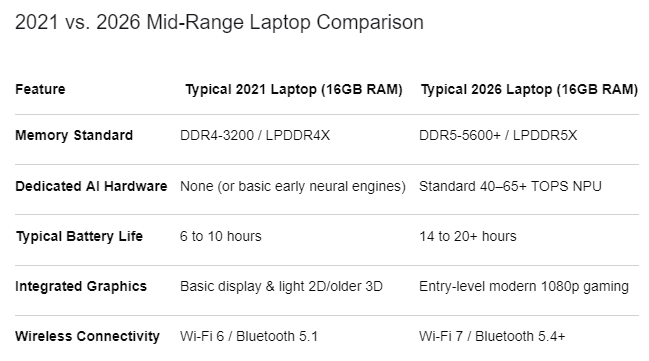
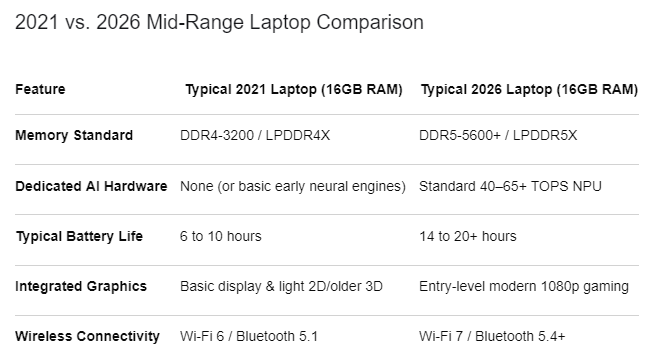
The gap between desktop computers from 2021 and those sold in 2026 spans more than five years of architectural shifts, new connectivity standards, and a completely transformed software landscape. While a 2021 machine was built around traditional computing tasks like web browsing, office suites, and standard gaming, a 2026 desktop is engineered from the silicon up for artificial intelligence workloads, massive data throughput, and ultra-high-resolution rendering. At the same time, the cost of entry has climbed noticeably across almost every hardware tier due to heavy enterprise demand for AI data center components.
Processors and Built-In AI Acceleration
In 2021, desktop processors like Intel’s 11th Gen Core series, AMD’s Ryzen 5000 series, and Apple’s original M1 chip focused almost entirely on raw CPU clock speeds and core counts. Those chips relied on traditional CPU and GPU cores to handle every task, meaning any early machine-learning features like basic background blur on video calls taxed the main processor heavily. By 2026, mainstream desktops run on architectures like Intel Core Ultra Series 2, AMD Ryzen 8000/9000 and Ryzen AI Max+, and Apple’s M4 through M6 chips. The defining hardware difference is the integration of dedicated Neural Processing Units (NPUs) directly onto the processor die. These specialized AI accelerators handle local language models, real-time transcription, image generation, and smart operating system features in the background while consuming a fraction of the power a 2021 CPU would need.
Memory Capacity and Bandwidth
Memory standards have undergone a major generational leap since 2021. Five years ago, DDR4 RAM running between 2666 MHz and 3200 MHz was the universal standard, and 8GB was still widely sold as an acceptable baseline for budget and office desktops, with 16GB considered the sweet spot for gaming and creative work. In 2026, DDR5 and LPDDR5x memory running at speeds from 5600 MHz to over 6000 MHz have replaced DDR4 across nearly all modern platforms. More importantly, 16GB has become the absolute floor even Apple raised its base memory standard to 16GB to support on-device AI while 32GB is now the standard recommendation for gaming, content creation, and heavy multitasking.
Graphics Cards and Display Capabilities
Graphics hardware has seen both the biggest performance jump and the sharpest price inflation. In 2021, buyers were dealing with the tail end of the crypto-mining shortage while shopping for NVIDIA RTX 30-series or AMD Radeon RX 6000-series cards, where hardware ray tracing was still young and early DLSS upscaling often introduced visual artifacts. Today’s 2026 systems feature NVIDIA’s RTX 50-series (Blackwell) and AMD’s Radeon RX 9000-series GPUs, alongside far stronger integrated graphics. Modern GPUs rely heavily on AI-driven frame generation and neural rendering, allowing mid-range cards to push high frame rates at 1440p and 4K resolutions that only flagship cards could touch in 2021.
Storage Speeds, Connectivity, and Wireless Standards
The way a desktop moves data internally and externally has also modernized significantly. In 2021, budget desktops still frequently paired small 256GB PCIe Gen 3 SSDs with slow mechanical spinning hard drives for bulk storage, and Wi-Fi 6 (or even Wi-Fi 5) alongside USB-A ports dominated the back panel. In 2026, PCIe Gen 4 and Gen 5 NVMe SSDs are standard, with 512GB to 1TB serving as the baseline capacity. Wireless connectivity has moved to Wi-Fi 6E and Wi-Fi 7 with Bluetooth 5.4, delivering multi-gigabit wireless speeds and lower latency. Front and rear I/O panels now prioritize high-speed 10Gbps to 40Gbps USB-C and Thunderbolt ports, along with HDMI 2.1 and DisplayPort outputs capable of driving multiple 4K high-refresh-rate monitors effortlessly.
Examples of 2026 Desktop Pricing and Configurations
To see how these specs translate into current retail pricing (in CAD), mainstream and gaming configurations reflect both the higher baseline specs and the 2026 component market:
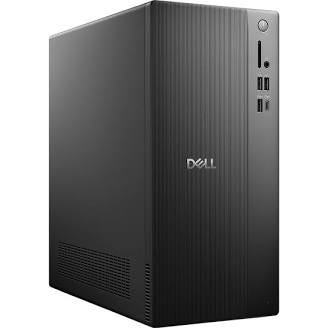
Dell ECT1250 Tower Desktop Intel Core Ultra
CA$1,549.99
4.4 stars rating
The Dell Tower Desktop represents a typical 2026 business and home tower, pairing a Core Ultra 5 processor with 16GB DDR5 RAM and built-in AI acceleration.
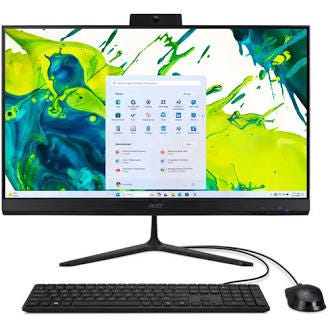
Acer 23.8” Aspire C24 All-in-One Desktop
CA$698.00 originally
The Acer 23.8” Aspire C24 All-in-One shows the modern entry tier, offering a 120Hz Full HD display and 512GB SSD for everyday office tasks.
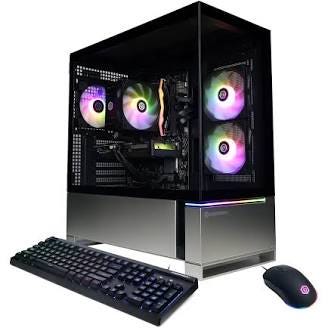
CyberPowerPC Gamer Master Gaming PC RTX 5050 AMD Ryzen 5 8400F
CA$1,949.99
5.0 stars rating
The CyberPowerPC Gamer Master sits near the entry point of 2026 gaming towers, combining a Ryzen 5 8400F, 16GB DDR5, and an RTX 5050 GPU.
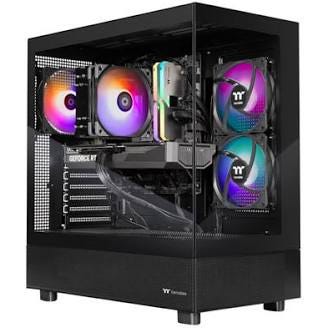
Thermaltake LCGS View Gaming PC RTX 5070 Intel Core i7-14700F
CA$2,899.99
4.7 stars rating
The Thermaltake LCGS View Gaming PC illustrates the upper-midrange 1440p gaming tier in 2026, equipped with an RTX 5070, Core i7-14700F, and 32GB of RAM.
Is the Upgrade Worth the Higher 2026 Prices?
Hardware prices in 2026 are noticeably higher than normal historical baselines because massive AI data center expansion has absorbed global supplies of GPUs, DDR5 memory, and NAND flash storage. Entry-level systems that used to cost $500 to $600 frequently sit closer to $750 to $1,500, while mid-range gaming towers routinely cross the $2,000 to $3,000 mark. Whether paying that premium is worthwhile depends entirely on what you do with your computer:
When it is NOT worth it: If your daily routine revolves around web browsing, email, spreadsheets, accounting, media streaming, or light photo organization, a well-maintained 2021 desktop with an SSD and 16GB of RAM still feels fast and responsive. Paying 2026 prices simply for an NPU or DDR5 memory will not noticeably speed up basic office software, and you are better off holding onto your current machine or only upgrading its RAM or SSD.
When it IS worth it: If you edit 4K video, work with large RAW photo batches, run local AI tools, or play modern AAA games at 1440p or 4K, the 2026 hardware leap is substantial. Modern multi-core CPUs, hardware media encoders, 32GB of high-bandwidth DDR5 RAM, and RTX 50-series GPUs cut rendering times dramatically and enable frame rates that 2021 hardware simply cannot match. It is also a practical time to upgrade if your 2021 PC lacks official Windows 11 hardware support, as security updates for older operating systems have wound down.
Please comment below on what you found with your upgrade and your recommendations.